
Direct API Usage
Call the Bkper REST API directly from any language using raw HTTP. Covers the endpoint, authentication, request examples in curl, fetch, and Python, the OpenAPI specification, and optional API keys for dedicated quota.
The Bkper REST API is the universal interface for interacting with Bkper Books. Every library and tool — bkper-js, bkper-gs, the CLI — is built on top of it. This page shows how to call it directly from any language.
If you are using an official SDK, see the library-specific guides instead:
- Node.js / CLI — Node.js Scripts
- Browser apps — Platform Apps
- Google Apps Script — Apps Script Development
Base URL
https://api.bkper.appAll API calls use this endpoint:
https://api.bkper.app/v5/books— List bookshttps://api.bkper.app/v5/books/{bookId}— Get a specific book
Specifications
The API is built on OpenAPI and Google API Discovery specifications:
You can use these specifications to generate client libraries with tools like OpenAPI generator or Google APIs code generator in the language of your choice.
For TypeScript, we maintain an updated type definitions package:
Authentication
Every request must include a valid OAuth2 access token in the Authorization header:
Authorization: Bearer YOUR_ACCESS_TOKENNo API key is required to authenticate — the Bkper API proxy provides a managed key with shared quota.
Obtaining a token
For local development and scripts, the easiest path is through the Bkper CLI:
bkper auth loginbkper auth tokenFor unattended environments (CI, servers), provide your own token source using the OAuth2 flow that matches your setup. See CLI → Authenticating scripts and local development for the canonical pattern used by the bkper-js SDK.
Direct HTTP calls
Send JSON payloads with Content-Type: application/json.
List books
curl -s https://api.bkper.app/v5/books \ -H "Authorization: Bearer YOUR_ACCESS_TOKEN"Create a transaction
curl -s https://api.bkper.app/v5/books/BOOK_ID/transactions \ -H "Authorization: Bearer YOUR_ACCESS_TOKEN" \ -H "Content-Type: application/json" \ -d '{ "date": "2025-01-15", "amount": "100.50", "creditAccount": {"name": "Bank Account"}, "debitAccount": {"name": "Office Supplies"}, "description": "Printer paper", "properties": {"invoice": "INV-001"} }'Using fetch (browser or Node.js)
const response = await fetch('https://api.bkper.app/v5/books/BOOK_ID/transactions', {  method: 'POST',  headers: {    'Authorization': 'Bearer YOUR_ACCESS_TOKEN',    'Content-Type': 'application/json',  },  body: JSON.stringify({    date: '2025-01-15',    amount: '100.50',    creditAccount: { name: 'Bank Account' },    debitAccount: { name: 'Office Supplies' },    description: 'Printer paper',    properties: { invoice: 'INV-001' },  }),});
const transaction = await response.json();
Using Python requests
import requests
response = requests.post(    "https://api.bkper.app/v5/books/BOOK_ID/transactions",    headers={"Authorization": "Bearer YOUR_ACCESS_TOKEN"},    json={        "date": "2025-01-15",        "amount": "100.50",        "creditAccount": {"name": "Bank Account"},        "debitAccount": {"name": "Office Supplies"},        "description": "Printer paper",        "properties": {"invoice": "INV-001"},    },)
transaction = response.json()
API Explorer
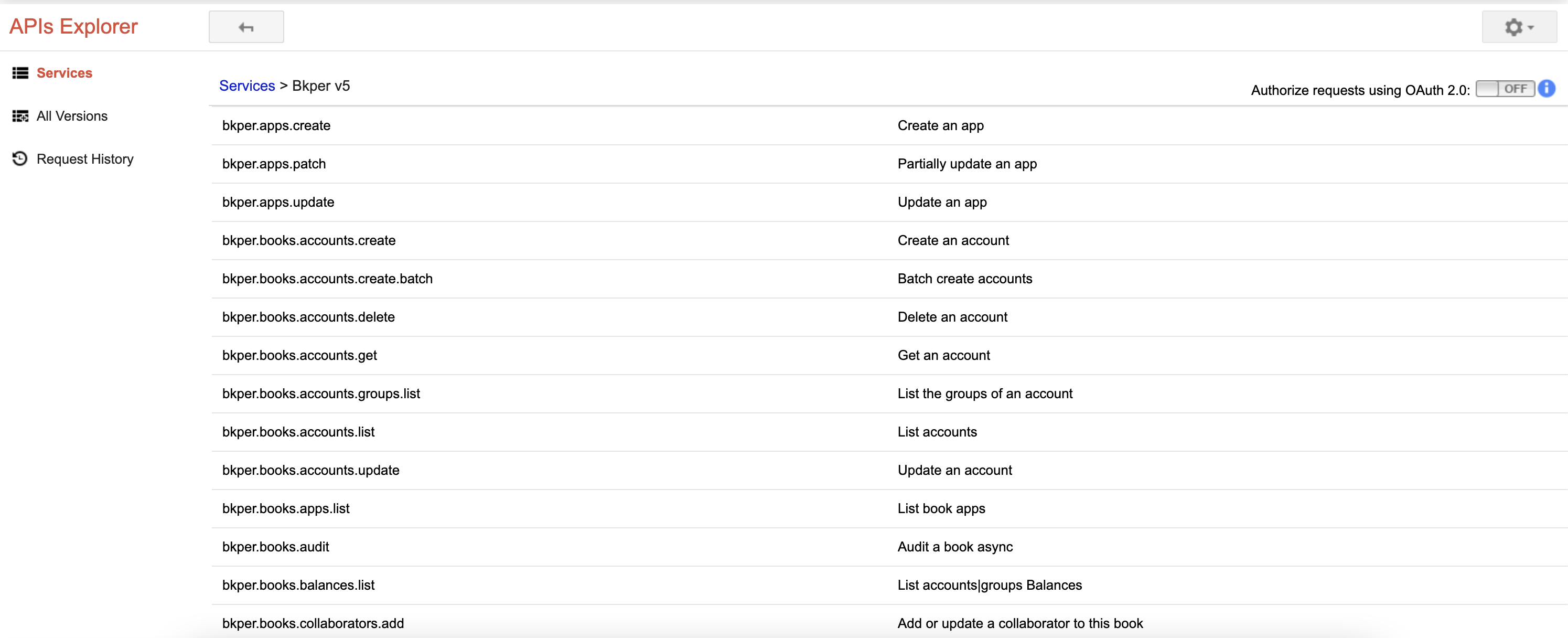
The REST API Explorer lets you browse endpoints, inspect payload formats, and try the API live:
Custom API key
For dedicated quota and project-level usage tracking, you can optionally configure your own API key:
- Join bkper@googlegroups.com to unlock access to enable the API on your project
- Create a new GCP project, or select an existing one
- Enable the Bkper API in the Google Cloud Console
- Create an API key
- Add API Restrictions to
app.bkper.comAPI only
- Add API Restrictions to
Send your API key in the bkper-api-key HTTP header:
bkper-api-key: YOUR_API_KEYMetrics
With your own API key, you can view detailed metrics on the GCP Console for your project’s API calls:
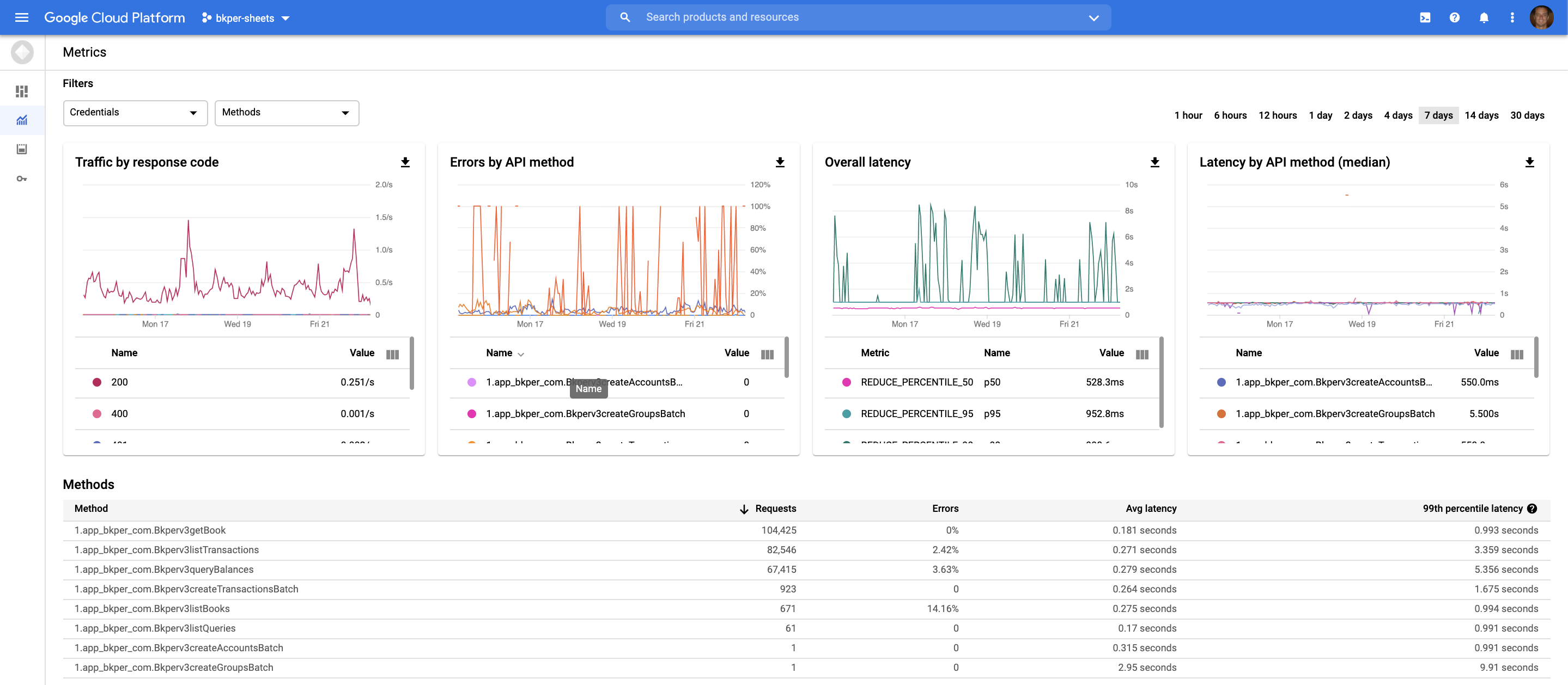
The metrics dashboard provides information about endpoint calls, latency, and errors — a good overview of your integration’s health.
Quota
The quotas dashboard provides details of the current default and quota exceeded errors.
The default shared quota is 60 requests per minute. If you need higher limits with your own API key, please get in touch so we can discuss your case.