

Known Issues - Bkper Web App
Common login and browser issues with the Bkper web app, and how to resolve them.
Bkper is constantly improving, but there are a few known issues you might encounter. Some are browser-related and outside of Bkper’s control.
Login issues
Some browser default configurations can block the login to Bkper with your Google Account. If you cannot log in, check the three scenarios below.
Third-party cookies
The Google login requires third-party cookies to function. If they are blocked, the Bkper login will not work.
Chrome: Go to your cookie settings at chrome://settings/content/cookies and select Allow all cookies.
Other browsers: Check the cookie settings documentation for Firefox, Internet Explorer, or Safari.
Multiple Google Accounts in the same session
When you are signed in to more than one Google Account in the same browser session, the authentication on login may not work properly.
To resolve this:
- Sign out from Google by visiting https://mail.google.com/mail/logout?hl=en
- Sign in again at https://app.bkper.com/
To prevent this problem, create different browser profiles — one for each Google account.
Error 400: admin_policy_enforced
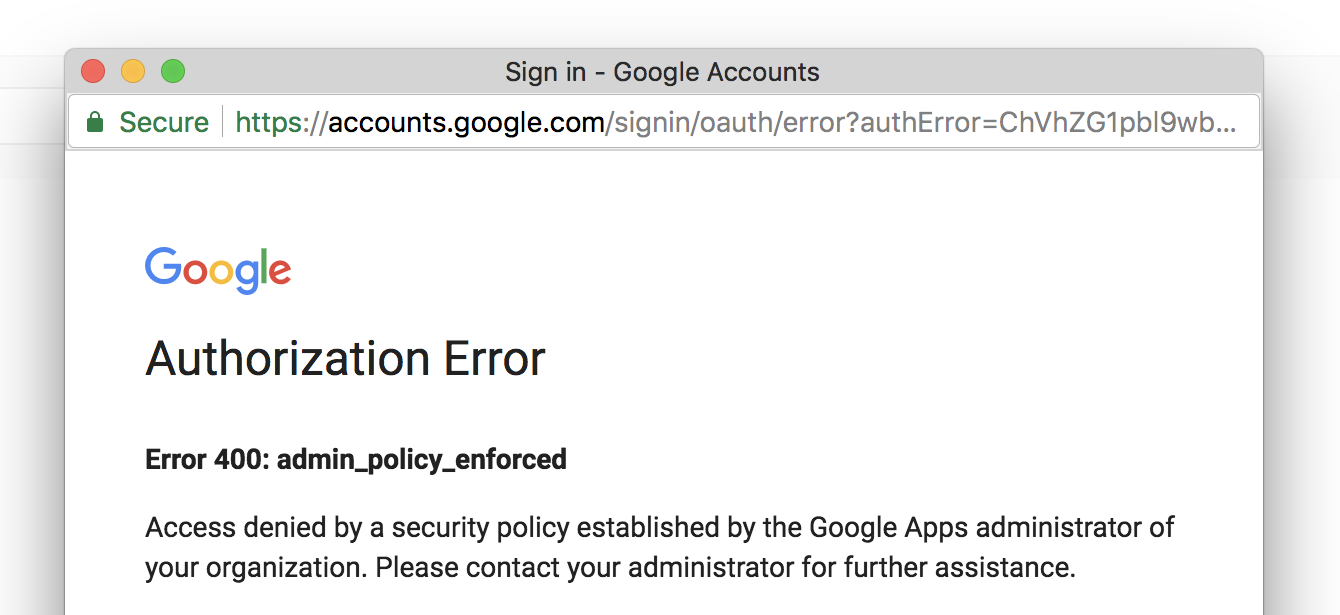
To resolve this error:
- Go to https://myaccount.google.com/permissions
- Find Bkper and revoke access
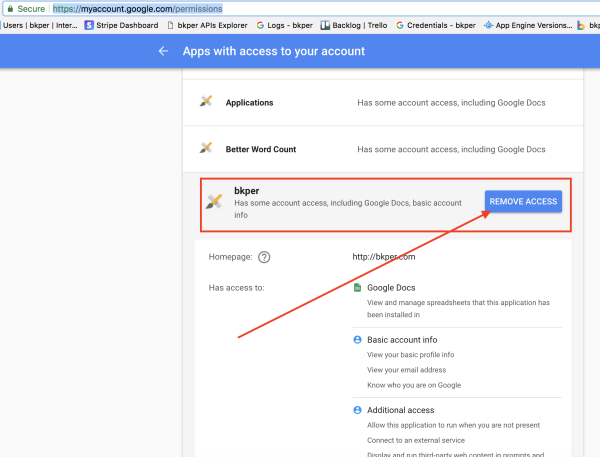
- Go to https://app.bkper.com/ and sign in again