
Exchange Bot
Automatically mirror transactions across multiple currency books and calculate unrealized FX gains and losses with the Bkper Exchange Bot.
The Exchange Bot keeps balance values of accounts across multiple currencies in sync with every transaction — no manual replication or batch processes required.
It can also calculate unrealized FX gains and losses at any moment from the perspective of any operating currency, giving you tighter control over foreign exchange risk.
Multiple currency accounting
To track finances in multiple currencies, create a separate Bkper book for each currency with a name and currency suffix (e.g. MyBusiness USD, MyBusiness EUR, MyBusiness JPY) and place them all in one collection named without the suffix (e.g. MyBusiness).
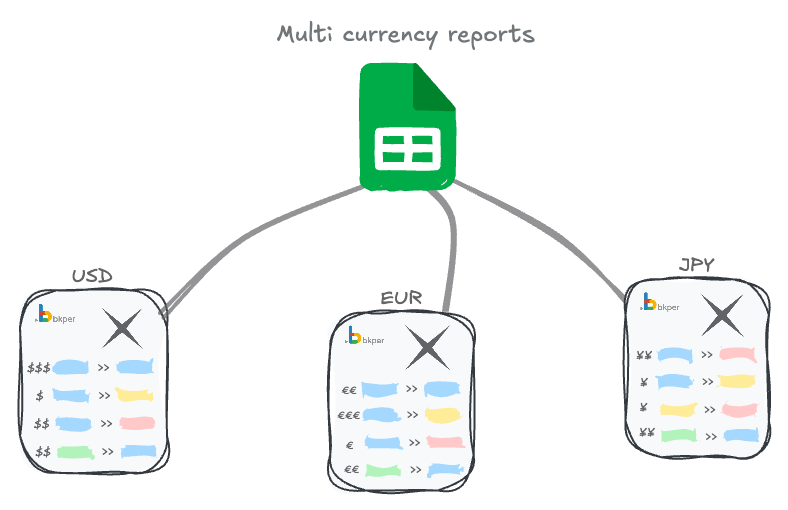
Install the Exchange Bot on every book in the collection and set the required properties on each book.
Transaction mirroring
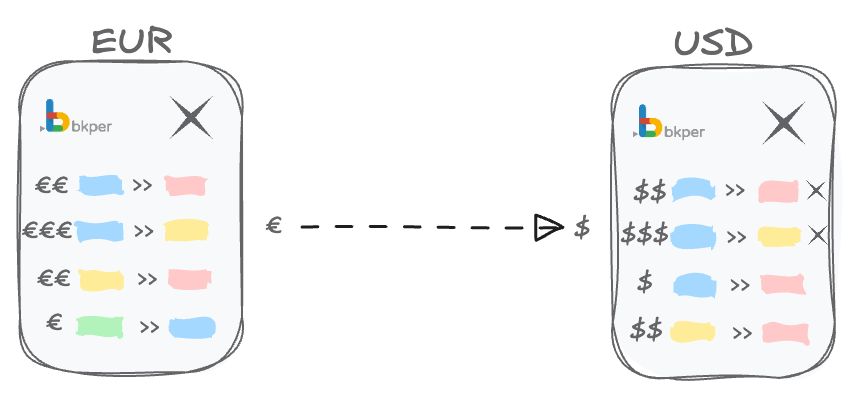
Once the Exchange Bot is installed and book properties are set, transactions posted in one currency are automatically mirrored in the other currency books at the exchange rate at the time of posting.
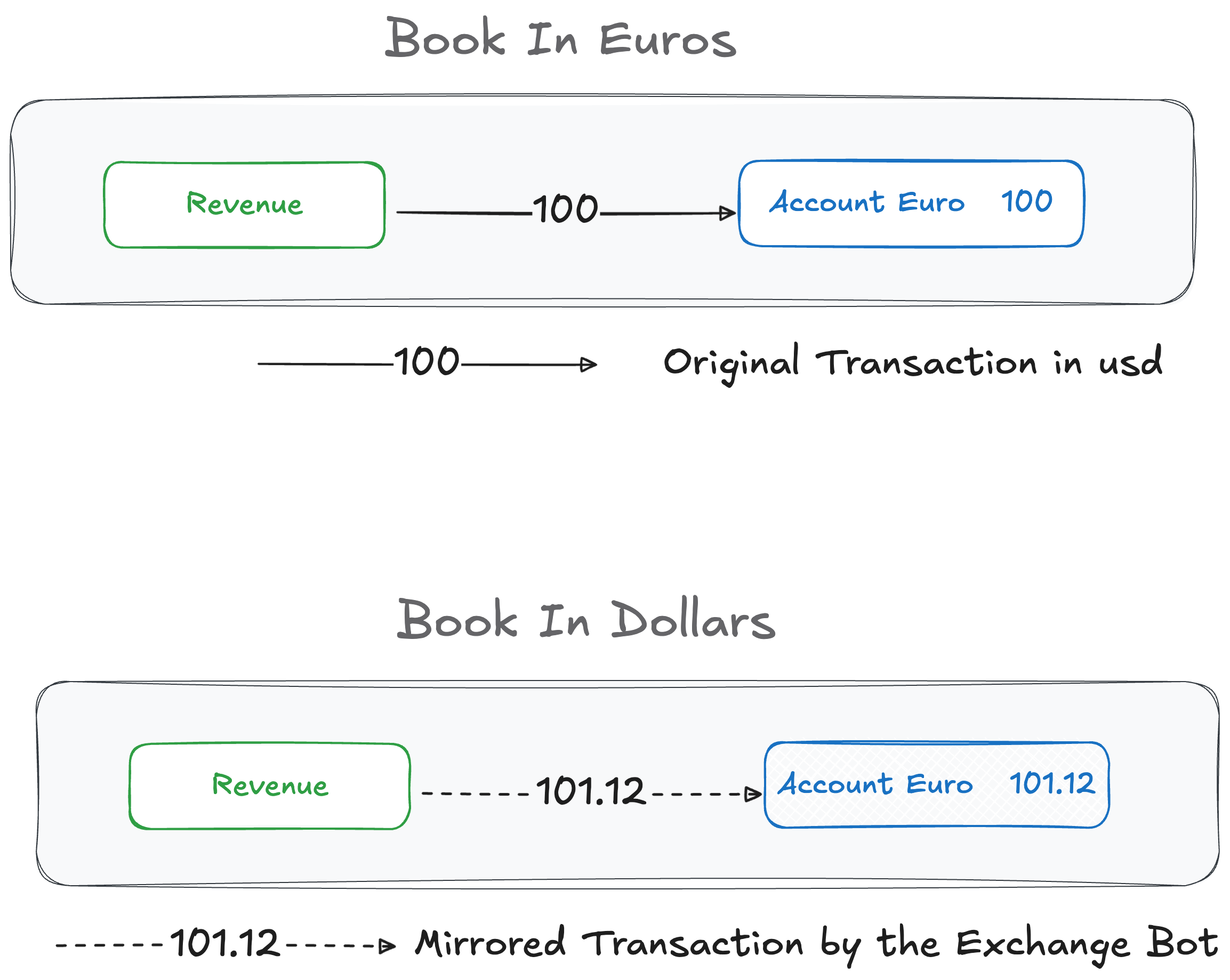
Transaction properties can override the fetched exchange rate when the actual rate differs — common with international wire transfers.
FX gains and losses
The Exchange Bot menu (accessible from More on any book in the collection) runs an exchange update process. This calculates and records foreign exchange gains or losses on your assets according to real-time rates.
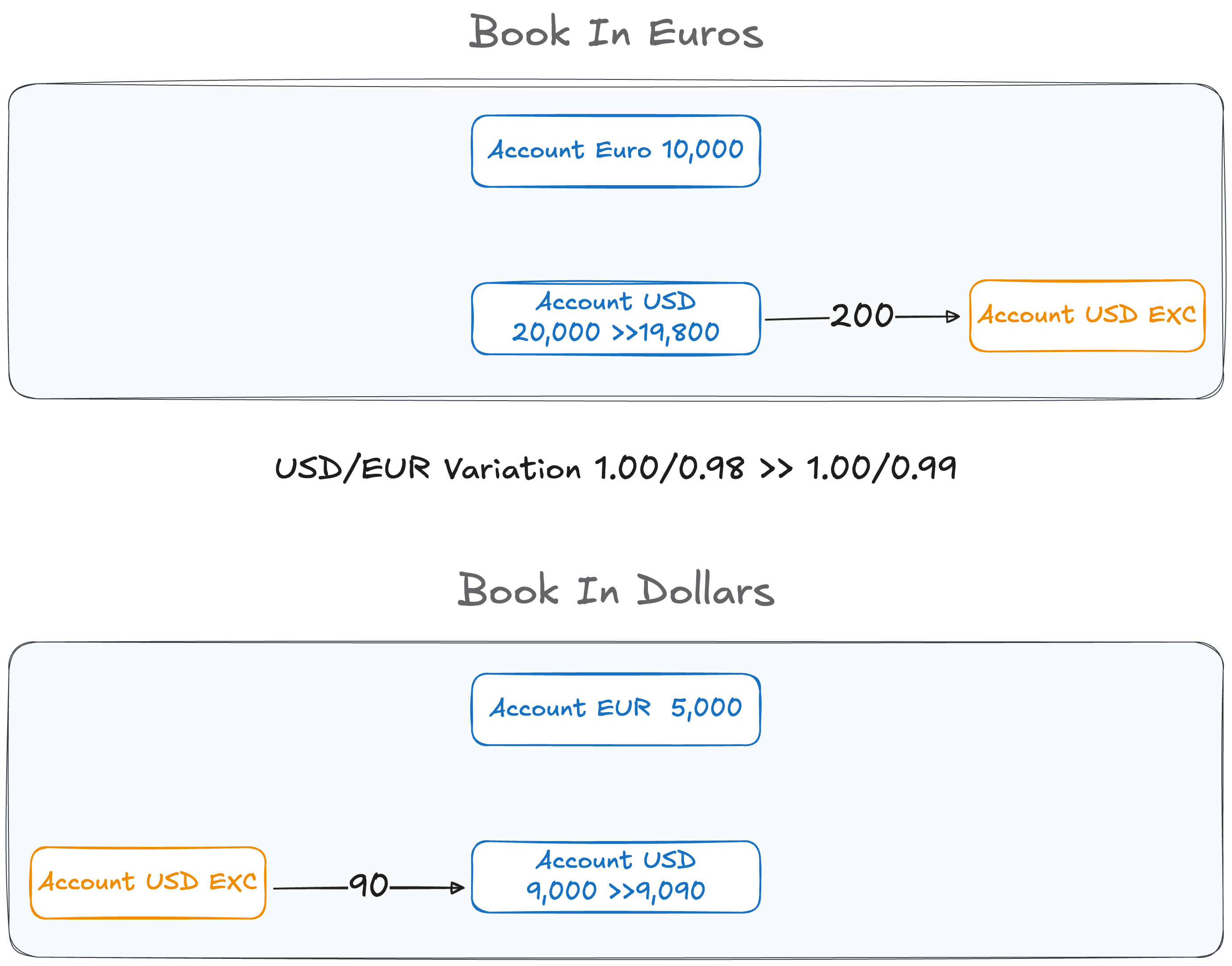
The bot records exchange differences in liability accounts with the same name as the permanent account plus an EXC suffix. These accounts are created automatically.
Exchange Bot status
- Gray icon — working properly
- Red icon — error
- No icon — not installed
How the Exchange Bot works
The flow for a single transaction:
- You post a transaction in one currency book (e.g. USD):
100 Bank Account >> Accounts Payable - The post event triggers the Exchange Bot, which determines which other currencies need this transaction.
- The bot fetches current exchange rates.
- The bot posts the same transaction in the other book(s) converted to each currency (e.g. EUR):
98.50 Bank Account >> Accounts Payable
Installation
Books and collection
Create at least two currency books, add them all to one Bkper collection, and install the Exchange Bot on every book.
Accounts
Create a chart of accounts in each book representing all your assets and liabilities across currencies. For example, if you have a Citi Bank account in the USA and a Deutsche Bank account in Europe, create both accounts in both the USD and EUR books. The European bank balance in the USD book is represented in USD value, and vice versa.
Groups
Optionally, create groups for each currency and place all accounts that should be mirrored into that group. This simplifies managing which accounts participate in multi-currency replication. See group configuration below.
Configuration
Book properties
Set the exc_code property on every currency book in the collection:
exc_code: USDexc_code: EURexc_code: JPYGroup properties
Group properties are optional. The Exchange Bot generally matches accounts by name across books. Adding an exc_code to a group ensures its accounts are replicated in the correct currencies:
exc_code: USDTransaction properties
Transaction properties are optional but allow you to override fetched exchange rates — useful when the actual rate differs from the market rate:
exc_code: USDexc_amount: 1200The exc_code specifies which currency to override, and exc_amount indicates the correct amount. For example, when wiring money from a European bank to a USD account, you specify that the exact amount in the target currency was 1200.
Find all configuration settings at bkper.com/apps/exchange-bot.
Exchange operations
Regular transactions
Regular transactions in any currency are mirrored in other currencies with the exchange rate applied.
You post in the USD book:
05/06/2025 100 Citi Bank >> ExpenseThe Exchange Bot detects the exc_code: USD on the accounts or their group, and posts the transaction in the other currency books:
In the EUR book:
05/06/2025 101.12 Citi Bank >> ExpenseIn the JPY book:
05/06/2025 14,615.60 Citi Bank >> ExpenseInternational wire transfers
You post an international wire from EUR to USD in the EUR book:
05/06/2025 5,000.00 Bank of Europe >> Citi Bankexc_amount: 5408.75exc_code: USDThe Exchange Bot detects the transaction properties and posts with the specified exc_amount:
In the USD book:
05/06/2025 5,408.75 Bank of Europe >> Citi Bankexc_amount: 5,000.00exc_code: EURexc_rate: 1.08175In the JPY book:
05/06/2025 808,696.57 Bank of Europe >> Citi Bankexc_amount: 5,000.00exc_code: EURexc_rate: 161.739313539692Calculating unrealized results
The Exchange Bot calculates currency gains and losses across all books in your collection and posts the results.
Open any book in the collection and select Exchange Bot from the More menu. Set the calculation date and click Gain/Loss to start the process.
The bot will:
- Create unrealized results accounts (with “EXC” suffix) if they don’t exist
- Post gain/loss transactions to each currency book based on exchange rate differences on the calculation date
Multi-currency accounting template
Explore the template books to see the Exchange Bot in action: