
Bkper CLI Agent
Use the built-in terminal agent shipped with the Bkper CLI for local, context-rich Bkper workflows.
The Bkper CLI includes a built-in terminal AI agent. Use it when you want an agent to work with local files, shell commands, scripts, tests, and Bkper CLI context in the same local environment.
This is Bkper’s recommended starting point for local AI-assisted development. For installation, authentication, and the command reference, see Bkper CLI.
Use it when
- You want an agent to inspect local project files or
AGENTS.md. - You need shell commands, pipes, scripts, tests, or exported CSVs.
- You are building a repeatable report, import, cleanup, or integration.
- You want deterministic checks instead of raw AI answers for financial outputs.
For conversational connector access without terminal commands, use Bkper MCP. For the full decision guide, see CLI vs MCP.
Quick start
-
Authenticate with Bkper
bkper auth loginThis authenticates the CLI Agent with the preconfigured Bkper AI provider. You can instead start the agent first and use
/login; both flows share the same local credentials and identify the authenticated account by email. See Bkper AI Provider for the client-agnostic inference interface and Models and Usage for the current portfolio, model capabilities, rates, and allowance policy. -
Start the terminal agent
bkperor:
bkper agent -
Optionally connect another model provider
Type
/connectto choose an external subscription or API-key provider. Use/connect <provider>to target one directly, such as/connect openaior/connect anthropic.
Install on Windows with WSL
Run Bkper inside WSL rather than PowerShell. If WSL is not set up yet:
-
Install WSL
Open PowerShell as Administrator and run:
wsl --installRestart Windows if prompted, then open Ubuntu from the Start menu and create your Linux username and password.
Reference: Install WSL.
-
Install Node.js
In the Ubuntu terminal, run:
sudo apt updatesudo apt install -y curlcurl -o- https://raw.githubusercontent.com/nvm-sh/nvm/master/install.sh | bashsource ~/.bashrcnvm install --ltsReference: Set up Node.js on WSL.
-
Install and open Bkper
Still in the Ubuntu terminal, run:
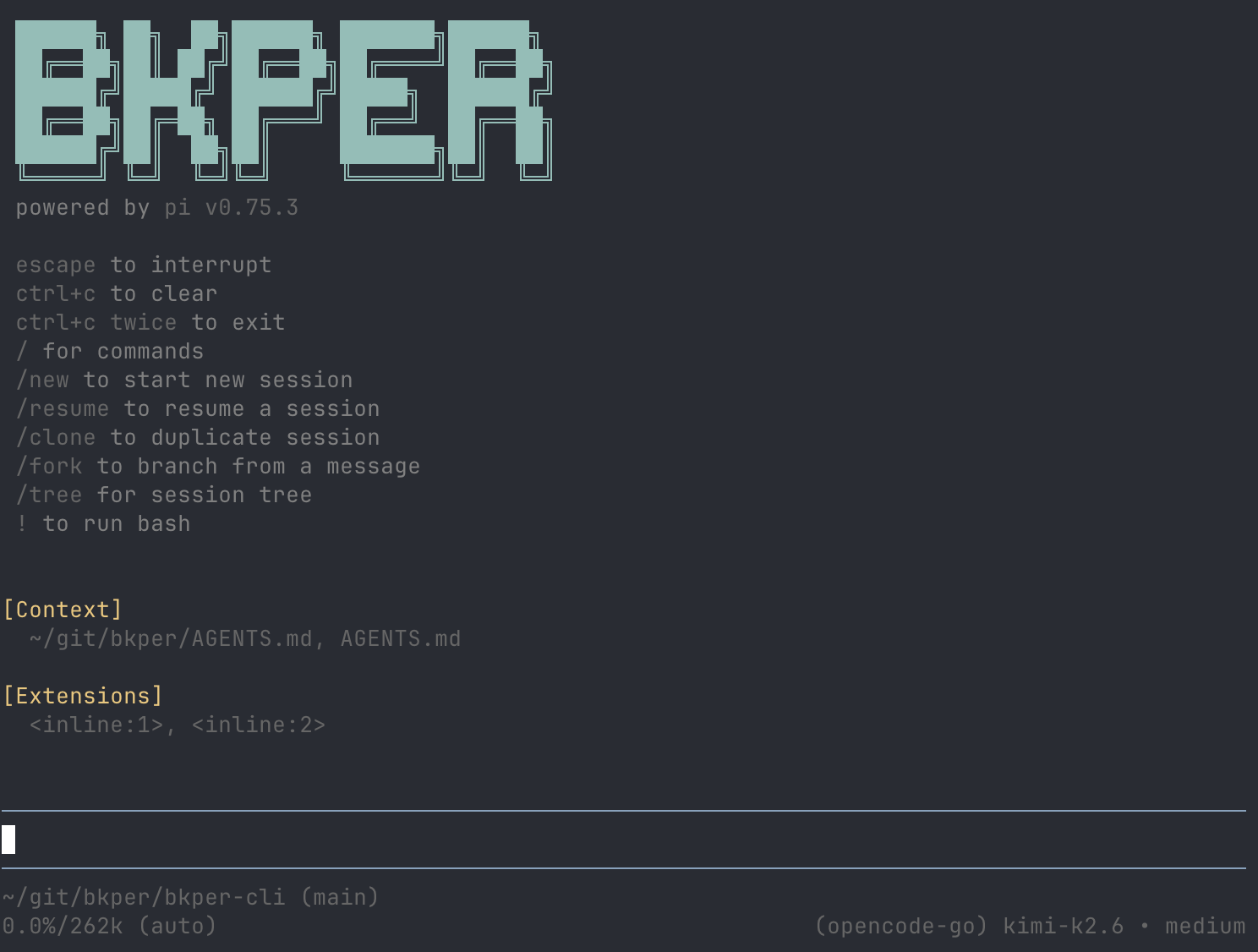
npm i -g bkperbkperIf the Bkper Agent opens, the installation is working.
Reference: Bkper CLI.
Why we recommend it
The Bkper CLI Agent is powered by Pi Agent with Bkper context built in: core concepts, SDK references, CLI commands, and the from-to accounting model.
We chose Pi because it is:
- Token efficient — lean context and tool loading for longer, cheaper sessions.
- Well implemented — a small, reliable core instead of a heavy black box.
- Open source — inspectable, extensible, and easier to improve.
- Provider agnostic — 15+ model providers, local models, and no vendor bias.
- Bundled with Bkper — one install gives you the agent plus Bkper domain context.
Model providers
Bkper AI is already configured, so no separate model-provider setup is required. The CLI loads the current catalog and default from GET /v1/models; an explicitly saved model remains selected while it is available. See Models and Usage for the current portfolio, capabilities, rates, and allowance rules.
To use an external subscription or API key instead, type /connect and choose a provider. External costs, limits, and privacy terms are governed by that provider.
/loginand/logoutmanage Bkper authentication./connect [provider]and/disconnect [provider]manage external model providers.
Built-in safety
The Bkper CLI Agent is configured to work in reviewable steps: inspect context, explain plans, show commands for Bkper writes, and wait for confirmation before mutating data. You still approve changes and review financial outputs.
Starter prompts
Explain the account types in this Bkper book and list anything that looks unusual.Find possible duplicate transactions from last month. Do not modify anything; show me the query and reasoning first.Write a script that exports a monthly profit and loss report from Bkper balances. Keep the calculation deterministic and add a simple test fixture.Review unchecked transactions from this month and suggest what needs attention. Do not post, check, or edit transactions.Prepare an exploratory tax worksheet for 2025 from my Bkper data. Use Bkper as the source of truth and mark assumptions explicitly.Watch walkthroughs
Optional walkthroughs:
- Bkper CLI Agent walkthrough
- Bkper CLI Agent workflow example
- Lucas Meijer on Pi’s minimal, hackable design philosophy
- Pi Agent overview and capabilities
- Pi architecture explained: agent loop, tools, TUI, and more
Security
The agent runs with your local workspace access and the Bkper permissions of the account used by bkper auth login. Before using it with real data, read Bkper CLI Agent Security.
Reference
Use Bkper CLI for canonical installation, authentication, CLI command reference, and current agent behavior.