Subledger Bot
Consolidate transactions from subledger books into a general ledger automatically with the Bkper Subledger Bot.
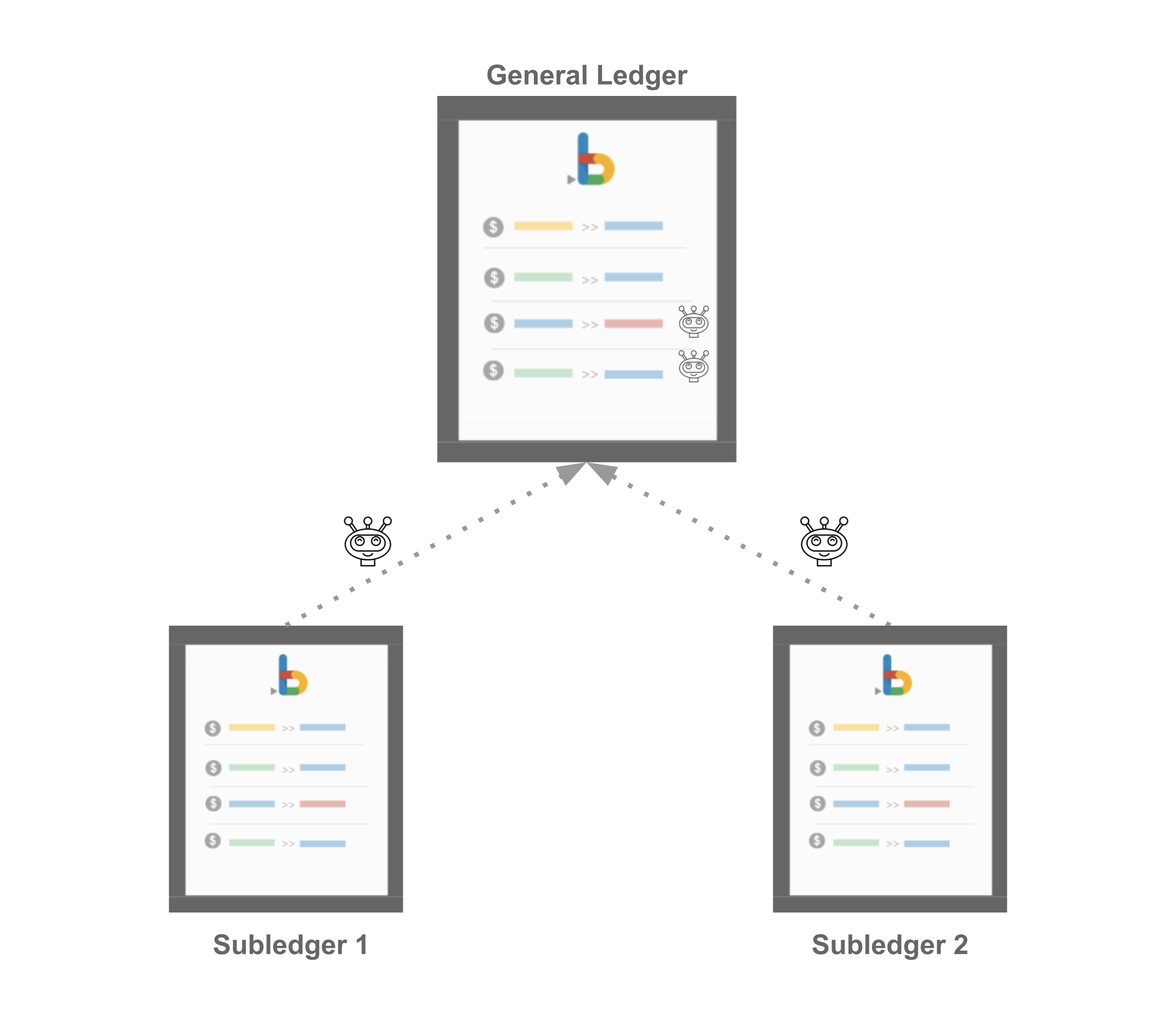
The Subledger Bot records transactions from subledger books into a general ledger, automating the consolidation of partial administrations. This is useful for dividing work between teams (e.g. one team tracking receivables, another tracking payables) or consolidating subsidiary books into a single parent book.
Setting up the Subledger Bot
Create your books
Create a General Ledger book (the parent) and one or more Subledger books (the children). The parent book can itself be a child to another parent, forming a tree structure.
Install the Subledger Bot
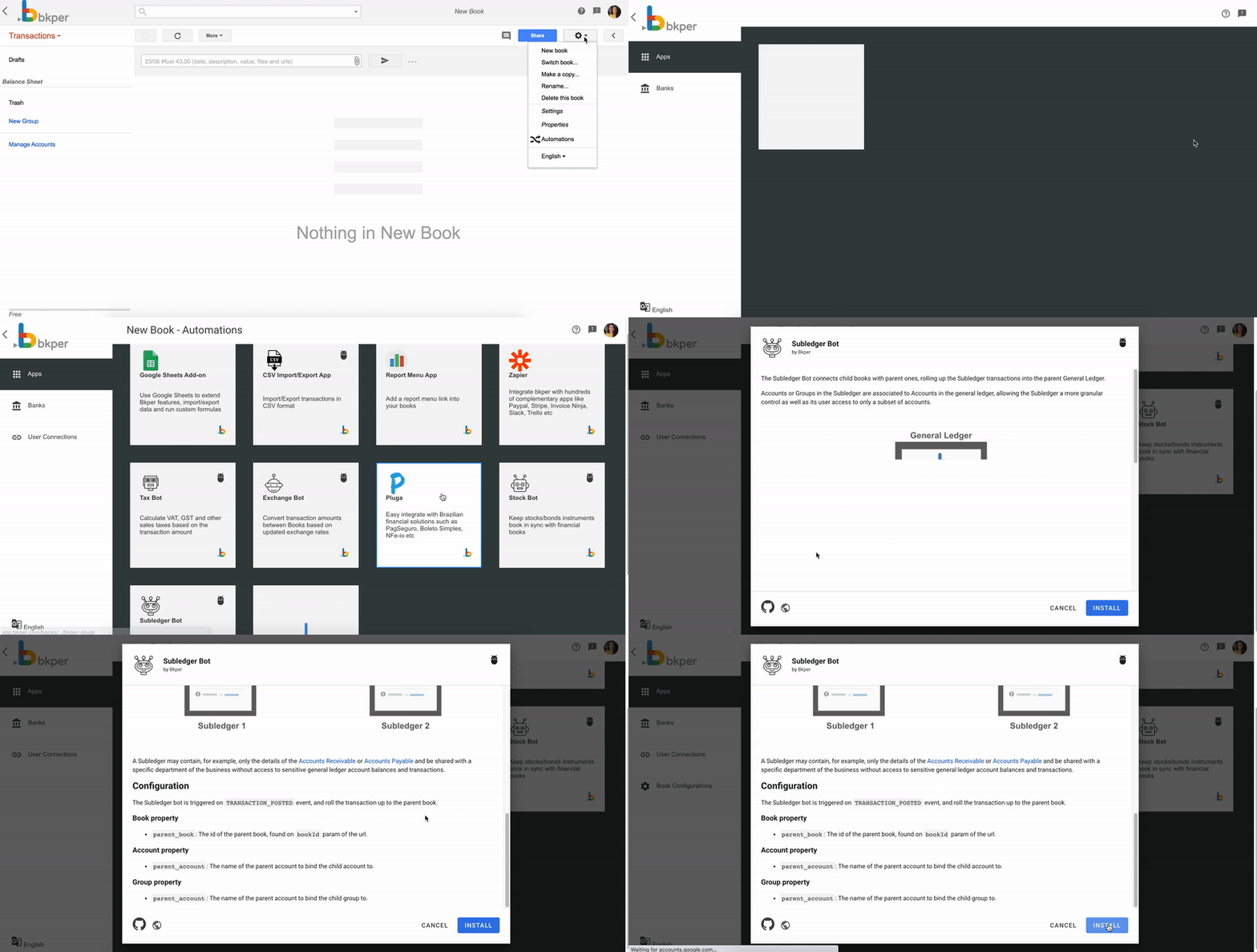
Open each book that participates in the consolidation, go to the Automations Portal, select the Subledger Bot, and click Install.
Associate child with parent
In your child book, open the book properties (gear icon) and add the parent_book_id property with the bookId of the parent book as the value.
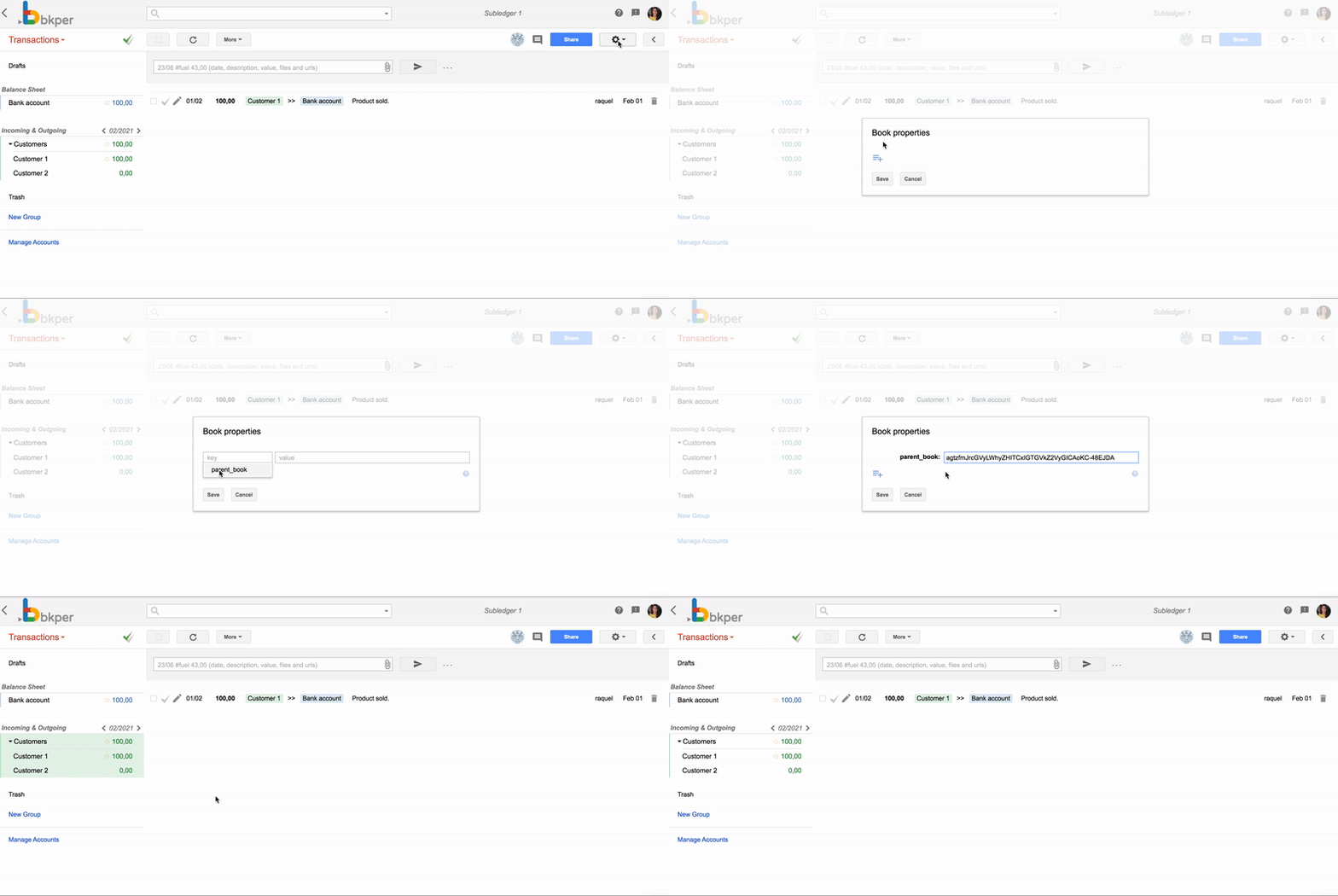
From this point, transactions posted in the child book are automatically recorded on the parent book.
Map child accounts to a single parent account
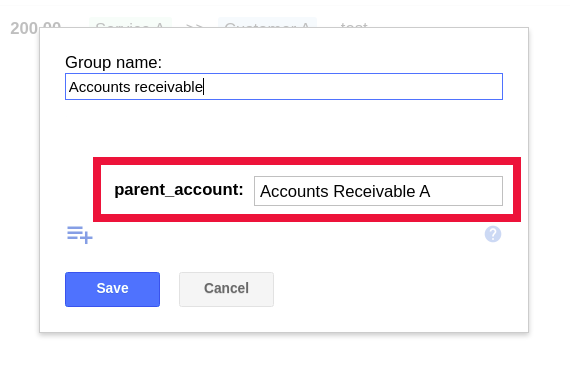
To consolidate multiple child accounts (e.g. individual customer accounts) into one parent account (e.g. Accounts Receivable), add a parent_account property to the group or account on the child book.
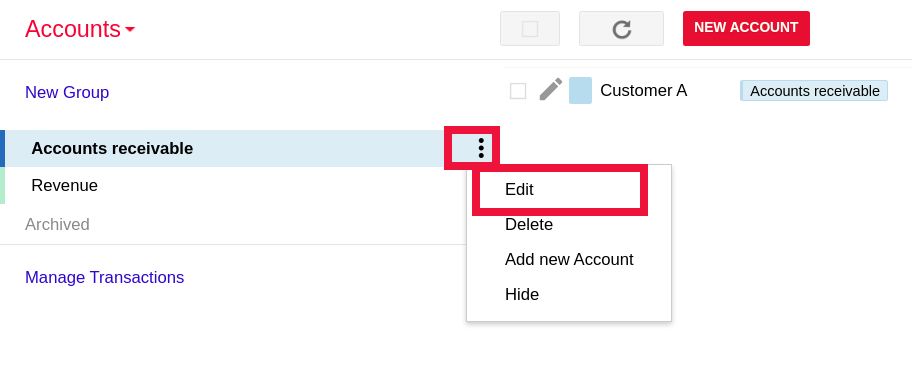
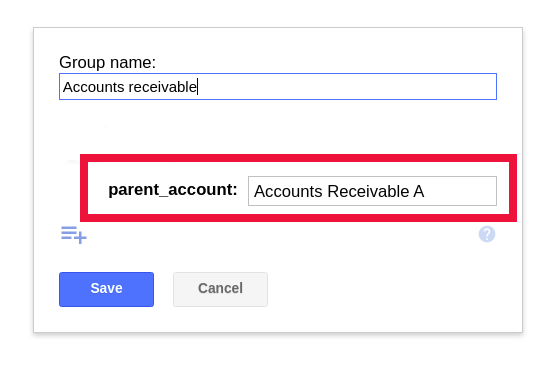
All transactions involving accounts in that group are recorded on the parent book using the single parent account instead of the individual child accounts.
Sync accounts from parent to child books
To keep incoming (revenue) and outgoing (expense) accounts synchronized across parent and child books, add a child_book_id property to a group on the parent book with the child book’s bookId as the value.
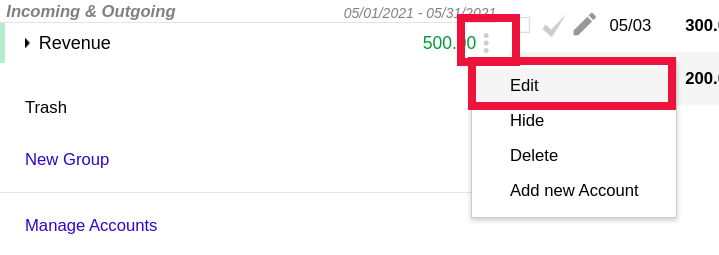
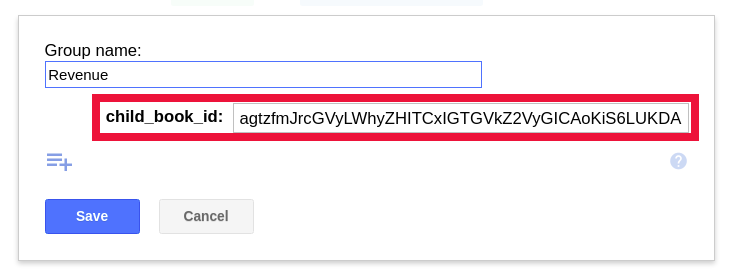
Whenever you add an account to that group on the parent book, the Subledger Bot automatically creates the same account on the child book.
Change transaction amounts
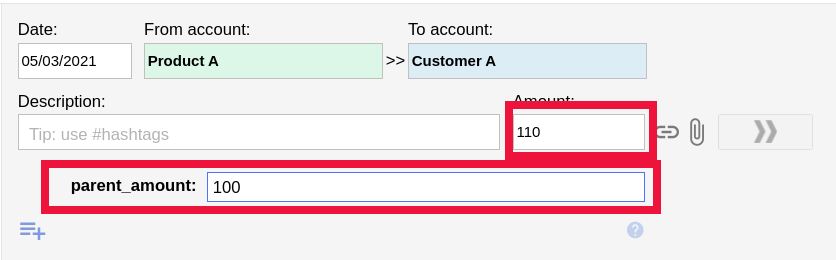
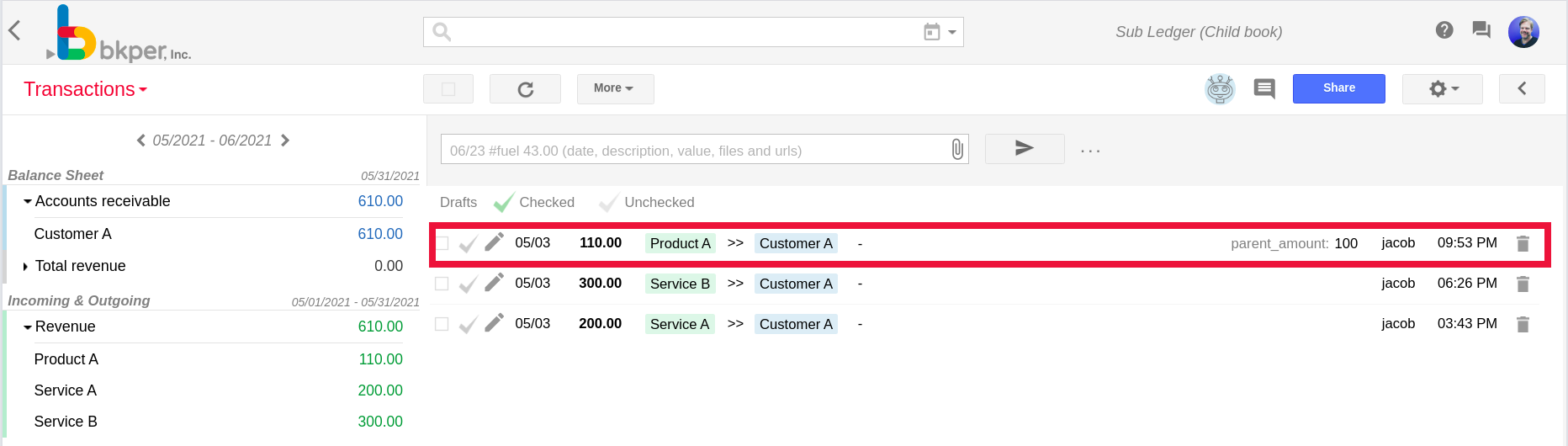
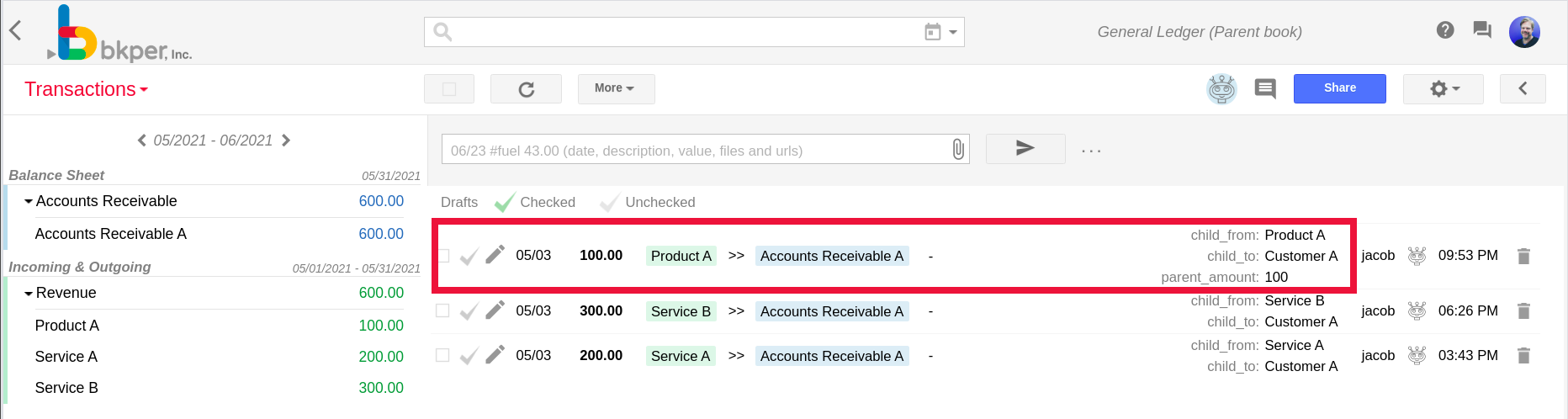
Use the parent_amount transaction property to record a different amount on the parent book — useful when the parent should reflect an amount after taxes, for example.
Example with permanent accounts
On the child book, customer accounts (Customer A, Customer B) are grouped under Accounts Receivable. On the parent book, only the consolidated Accounts Receivable A account is needed.
Set the parent_account property on the child book’s Accounts Receivable group with the value Accounts Receivable A — the suffix distinguishes entries from different child books.
Post a transaction involving Customer A on the child book:
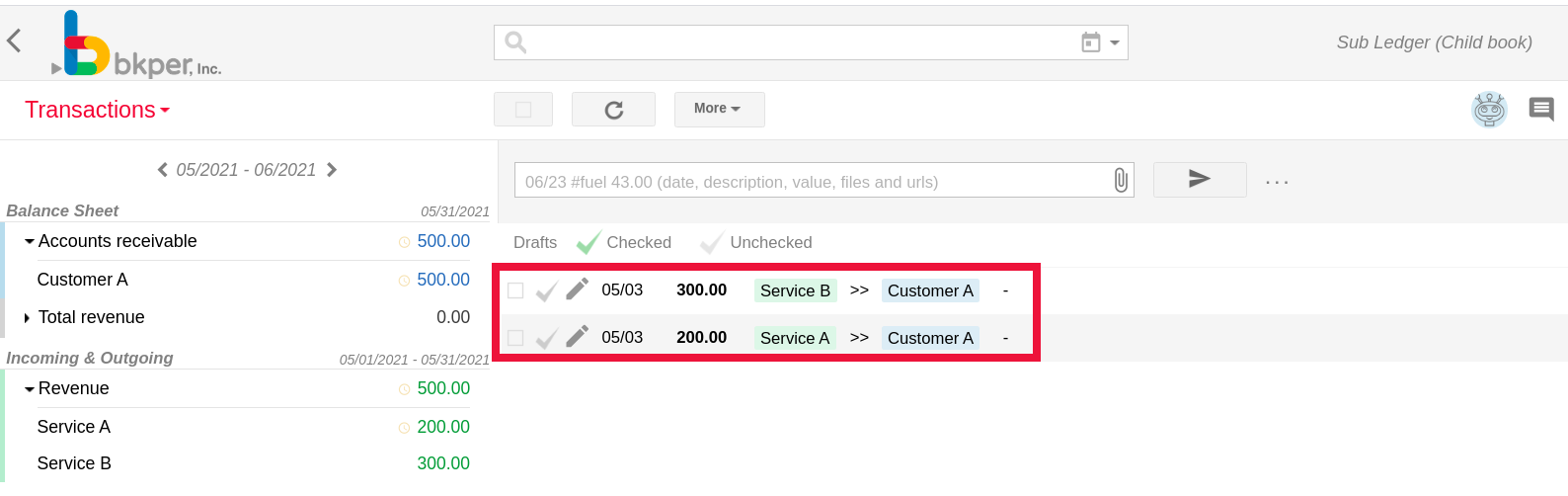
The Subledger Bot records it on the parent book using the consolidated account:

Example with non-permanent accounts
For incoming and outgoing accounts (revenue, expenses), both the parent and child books share the same account names. To keep them in sync automatically, set child_book_id on the parent book’s group.
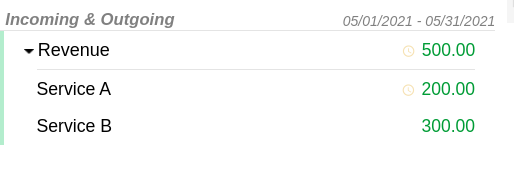
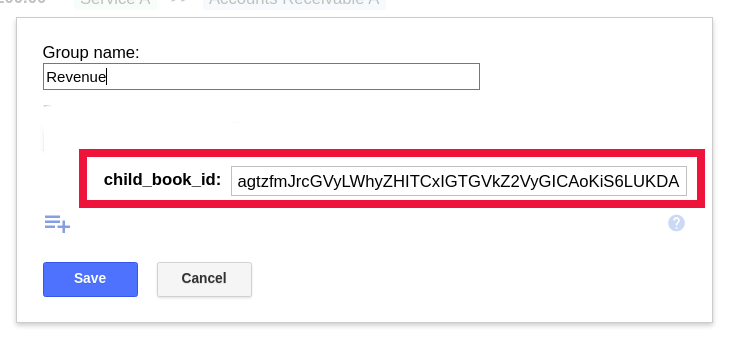
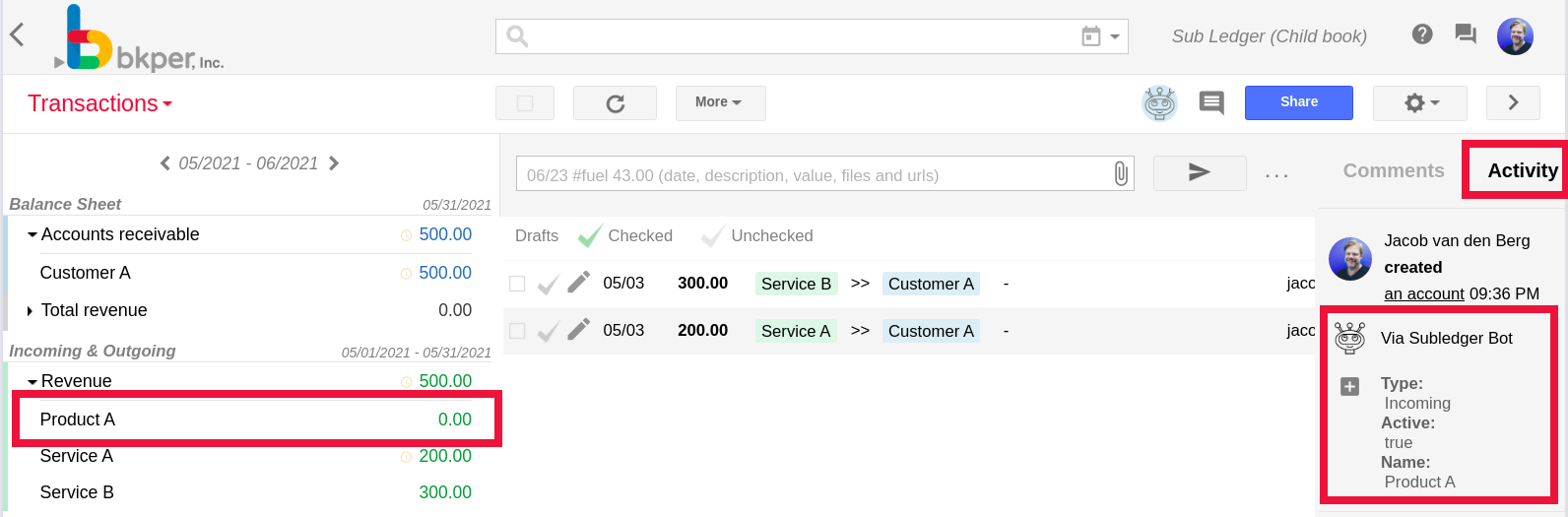
Adding a new account to the group on the parent book:
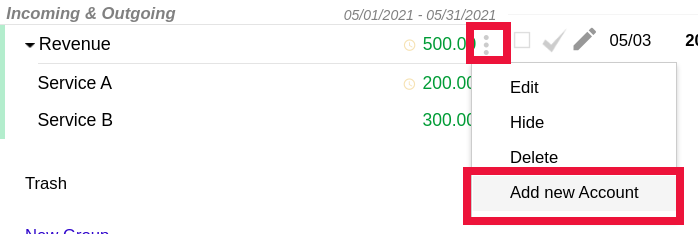
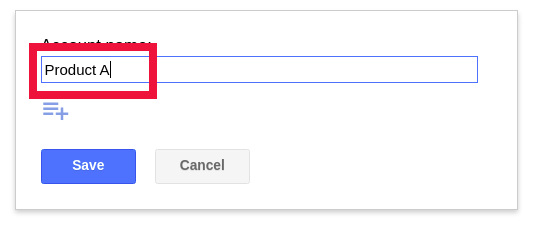
The Subledger Bot automatically creates it on the child book: